How to Sync Shopify Inventory with a US-Mexico Warehouse Network Using EasyCentral
Learn how to synchronize your Shopify inventory with Obserway's US-Mexico warehouse network using EasyCentral. This step-by-step guide covers setup, order routing, and real-time sync to eliminate overselling and speed up deliveries to Mexico.
Why Inventory Sync Matters for US-to-Mexico Dropshipping
Dropshipping from the US to Mexico offers immense opportunities—the US-Mexico trade crossed $872 billion in 2025, per the U.S. Census Bureau—but it also introduces operational complexity. One of the biggest headaches for Shopify sellers is managing inventory across multiple locations. Without real-time synchronization, you risk overselling a product that's out of stock in the US warehouse or, worse, promising a delivery time that your Mexico warehouse can't meet. This leads to canceled orders, negative reviews, and lost revenue. A unified inventory sync between your Shopify store and a cross-border warehouse network eliminates these risks. Obserway's dual-location setup—with warehouses in Hidalgo, Texas, and Monterrey, Mexico—combined with EasyCentral integration, gives you a single source of truth for stock levels. This post walks you through setting up that sync step by step.
Understanding Obserway's Dual-Warehouse Network
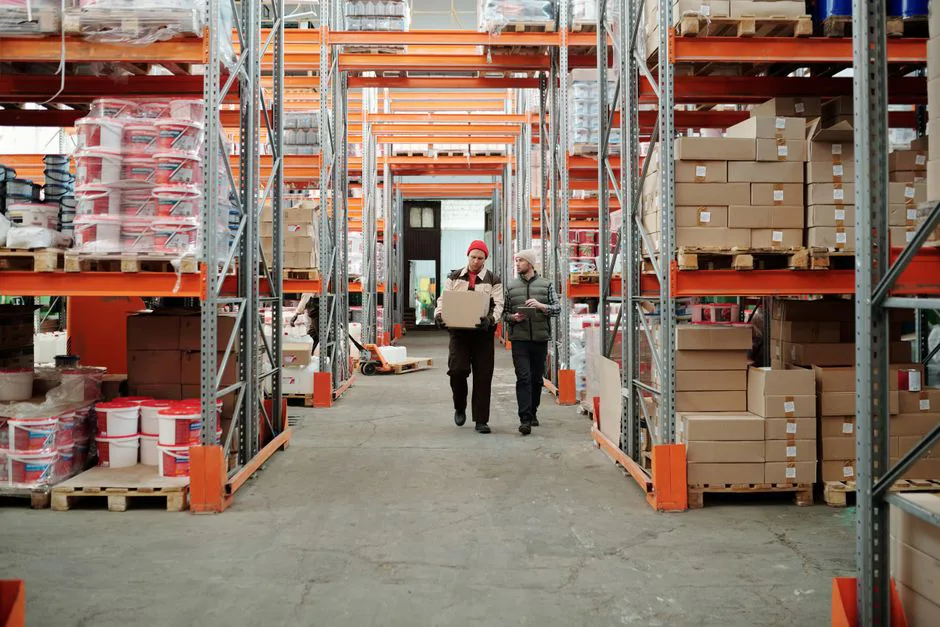
Obserway operates three physical warehouses, but for US-to-Mexico dropshipping, two are critical: the US hub in Hidalgo, Texas (at 425 E. Coma Ave), and the Mexico hub in Monterrey (full-service: shipping, returns, and storage). This network allows you to pre-position inventory near the border for fast cross-border fulfillment. The US warehouse serves as your staging area: products arrive from suppliers, get processed (Obserway's average processing time is 4–5 hours), and then move to the Mexico warehouse or ship directly to customers. The Mexico warehouse handles final-mile delivery, returns, and local storage. Without proper inventory sync, however, you might ship an order from Texas only to find the product is already allocated to a Mexico-order, causing delays. EasyCentral bridges this gap by giving you real-time visibility into stock at both locations, directly within your Shopify admin.
Step-by-Step Guide to Integrating EasyCentral with Shopify
Step 1: Install and Connect EasyCentral
First, install the EasyCentral app from the Shopify App Store. Once installed, you'll need to connect it to your Obserway account. Log into your Obserway dashboard, navigate to the Integrations section, and generate an API key or connect via OAuth—Obserway provides dedicated setup documentation for this. Copy your unique credentials and paste them into EasyCentral's settings. The integration syncs automatically within minutes, pulling your warehouse locations (Hidalgo and Monterrey) into Shopify as separate inventory locations.
Step 2: Map Your Inventory Locations
After the connection, Shopify will recognize two new locations: "Obserway US - Hidalgo" and "Obserway MX - Monterrey." You must assign your products to these locations. For dropshipping, you typically want to keep inventory in the US warehouse initially and replenish the Mexico warehouse based on demand. EasyCentral allows you to set inventory rules—for example, maintain a safety stock of 50 units in Monterrey and automatically top up from Hidalgo when levels drop. This ensures you never run out of fast-moving items in Mexico, which speeds up delivery and reduces shipping costs.
Step 3: Set Up Order Routing Rules
One of the most powerful features of EasyCentral is intelligent order routing. You can define rules: "Ship all orders to Mexican addresses from the Monterrey warehouse if stock is available; otherwise, ship from Hidalgo." This automates decision-making. For Shopify dropshippers, this means you don't need to manually check inventory before forwarding orders. EasyCentral also allows you to set priorities—for example, use Monterrey for standard deliveries and Hidalgo for expedited orders that cross the border same-day. Obserway's same-day processing ensures that orders placed before a cutoff time leave the US warehouse and clear customs on the same day, a speed unmatched by competitors who average one-day warehouse departure alone.
Step 4: Test the Sync with a Sample Order
Before going live, create a test product with inventory in both locations. Place a test order from a Mexican address in your Shopify store. Monitor how EasyCentral deducts stock: the system should automatically reduce the inventory at the chosen fulfillment location. Check that the order appears in Obserway's dashboard with correct tracking information. Also simulate an out-of-stock scenario: set Monterrey stock to zero and ensure the order routes to Hidalgo instead. Once everything works, you're ready to launch.
Common Inventory Sync Challenges and Solutions
Even with a robust integration, dropshippers face pitfalls. Overselling is the top concern—occurs when multiple sales channels (Shopify, Amazon, etc.) pull from the same stock without a centralized system. EasyCentral aggregates all sales channels into one inventory pool, but you must ensure all channels are connected. Another challenge is time zone differences: suppliers in Asia may update stock while you sleep, leading to discrepancies. Schedule a daily automatic sync in EasyCentral to catch changes. Returns also affect inventory: when a customer returns a product to the Monterrey warehouse, Obserway inspects and restocks it. EasyCentral updates the available count automatically, so your Shopify store reflects the returned stock in real time. Without this, you'd manually adjust—error-prone and slow.
How Real-Time Sync Boosts Customer Experience
Customers in Mexico expect fast, reliable delivery. According to the National Retail Federation's 2025 report, online sales have a 19.3% return rate; delays and stock issues directly increase that. With real-time inventory sync, you can set accurate delivery dates at checkout. For example, if a product is in the Monterrey warehouse, you can promise 2-day delivery. If it's in Hidalgo, you can still promise 3–5 days because the same-day processing and customs clearance at the border (remember: Obserway clears customs the same day the package leaves the US warehouse) keep transit times low. This transparency reduces cart abandonment and builds trust. Moreover, when a customer initiates a return, the sync ensures that the product is routed to the closest warehouse (the Mexico warehouse for local returns), speeding up refunds and resale.
Comparing Manual Inventory Management vs. Automated Sync
Many dropshippers start with manual inventory tracking—updating stock levels in Shopify every few days or using spreadsheets. This approach is fragile: one missed update can lead to overselling and a cascade of negative feedback. Automated sync through EasyCentral eliminates human error and saves hours per week. Here's a quick comparison:
- Manual: Update stock once a day, risk of overselling, no real-time visibility into Mexico inventory, slow response to returns.
- Automated with EasyCentral: Real-time sync across both warehouses, order routing rules, automatic restocking alerts, integration with Obserway Assistant for quick lookups from browser. The result: fewer cancellations, higher customer satisfaction, and more time to grow your store.
Leveraging Obserway Assistant for Inventory Checks
Obserway offers a Chrome extension called Obserway Assistant, which integrates with your Shopify admin. When processing an order, you can quickly check stock availability across both warehouses without leaving the page. This is especially useful for handling exceptions—like a customer request to expedite a product that's only in Hidalgo. You can instantly see that the item can be shipped same-day from the US warehouse and clear customs that afternoon. The Assistant also provides tracking updates and return status, all in one interface. Combined with EasyCentral, it creates a seamless workflow from order to delivery.
Scaling Your Dropshipping Operation with Dual-Warehouse Sync
As your Shopify store grows, so does inventory complexity. You might add more products, new suppliers, or even expand to other platforms. EasyCentral scales with you: it supports multi-warehouse inventory across Obserway's locations and can handle thousands of SKUs. The real-time sync ensures that when you run a flash sale, you won't oversell. Obserway's 2,000+ existing sellers rely on this setup to maintain a 99.8% success rate across 500,000+ deliveries. For dropshippers, this means you can confidently promote products without worrying about backorders. Additionally, the integration with MongerLab allows advanced inventory analytics—forecasting demand for the Mexican market and suggesting optimal stock levels for each warehouse.
Frequently Asked Questions
Does EasyCentral work with Shopify's native inventory system?
Yes, EasyCentral fully integrates with Shopify's multi-location inventory functionality. After setup, each Obserway warehouse appears as a separate location, and you can manage stock directly from Shopify's inventory page.
What happens if I sell the same product on Amazon and Shopify?
EasyCentral can aggregate inventory across sales channels. You connect both your Shopify store and Amazon Seller Central account, and the system deducts inventory in real time from the same pool, preventing overselling across channels.
Can I set different shipping rules for different products?
Absolutely. EasyCentral allows product-level routing rules. For example, you can ship high-value electronics only from the US warehouse (for extra security) while sending apparel from Mexico for faster delivery.
How often does inventory data sync?
Sync is near real-time—typically within seconds after a change. You can also set a manual sync schedule (e.g., every 30 minutes) as a backup.
What if a customer returns an item to the wrong warehouse?
Obserway's Mexico warehouse accepts all returns from Mexican customers. If a customer mistakenly sends a return to the US warehouse, Obserway's team redirects it internally. EasyCentral updates the inventory once the item is received and inspected at the correct location.
Is there a limit to how many SKUs I can sync?
No hard limit. EasyCentral is designed for high-volume operations, and Obserway supports thousands of SKUs across its warehouses. However, very large catalogs may require segmentation for optimal performance—consult with Obserway's support team for best practices.
Start Syncing Your Shopify Inventory Today
Real-time inventory sync across a US-Mexico warehouse network is no longer a luxury—it's a necessity for dropshippers who want to compete on speed and reliability. With Obserway's dual warehouses and EasyCentral integration, you can automate stock management, eliminate overselling, and offer faster delivery to Mexican customers. The result: higher conversion rates, fewer returns, and a healthier bottom line. Ready to streamline your dropshipping operation? Contact Obserway to set up your integration and start syncing today.
About the Author
Sarah Bennett — Amazon Marketplace Operations Specialist
Sarah covers Amazon FBA/FBM seller operations and dropshipping workflows for the Mexico market, drawing on Obserway's operational perspective on the Amazon seller ecosystem.